Waypoints topographic maps copyright © (1996-2003) Bartholomew Digital Data |
   |
|
 |
FlightMap
is supplied
with waypoint files which contains supplied
with waypoint files which contains standard turn-points. You can add yourown waypoints
into these files. standard turn-points. You can add yourown waypoints
into these files. Use
the waypoint browser to The next page shows |
|
 |
Each
waypointrecord
contains a set of coordinate anddescription fields. You can make
yourown
amendments to these fields. When you use the New button in
thewaypoint browser, you
get an emptyrecord so you can add your own waypointsinto the file. The next picture |
|
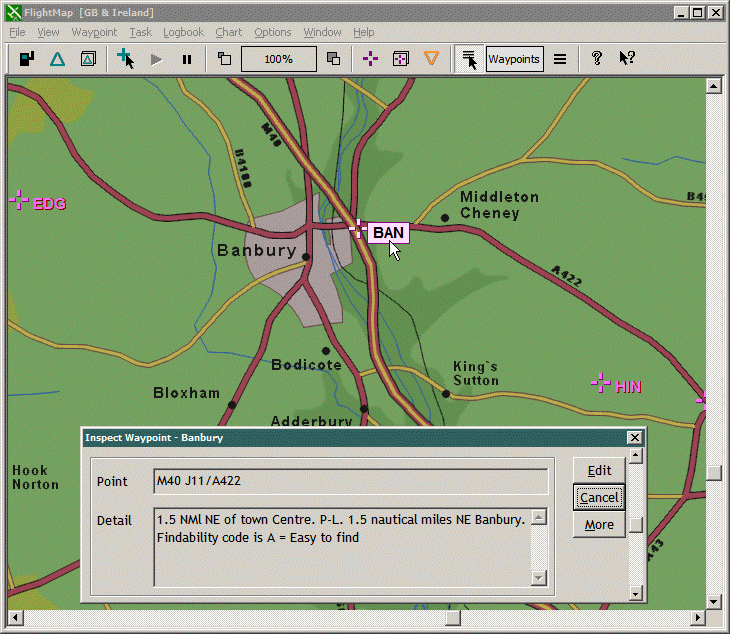 |
Use the Inspect
|
|
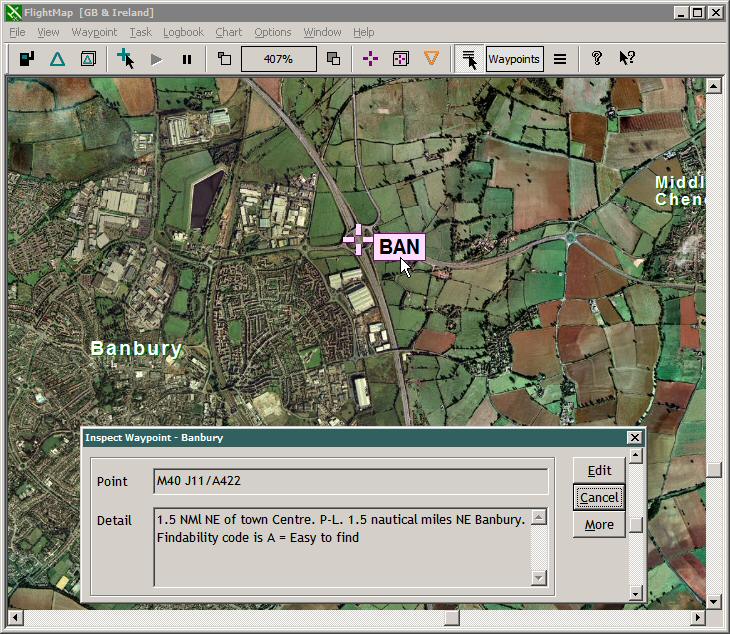 |
Fromthe previous
picture, the map window has beenzoomed in to reveal the MillenniumMap™
optional map backdrop. For the Millennium
aerial photo copyright © Getmapping PLC |
|
|